
To Scale Ruler
Screens don’t know how big a centimetre is, so most on-screen rulers are wrong. This ruler fixes that: hold a standard bank card against the screen, match the box to it, and the ruler shows true centimetres and inches. Choose a drawing or map scale and it also reads off real-world distances. For paper, print the true-size and scale rulers in the pack and check them against a real ruler.
- Free to use
- No sign-up
- Runs in your browser
Calibrated to-scale ruler
Scale Ruler Printables
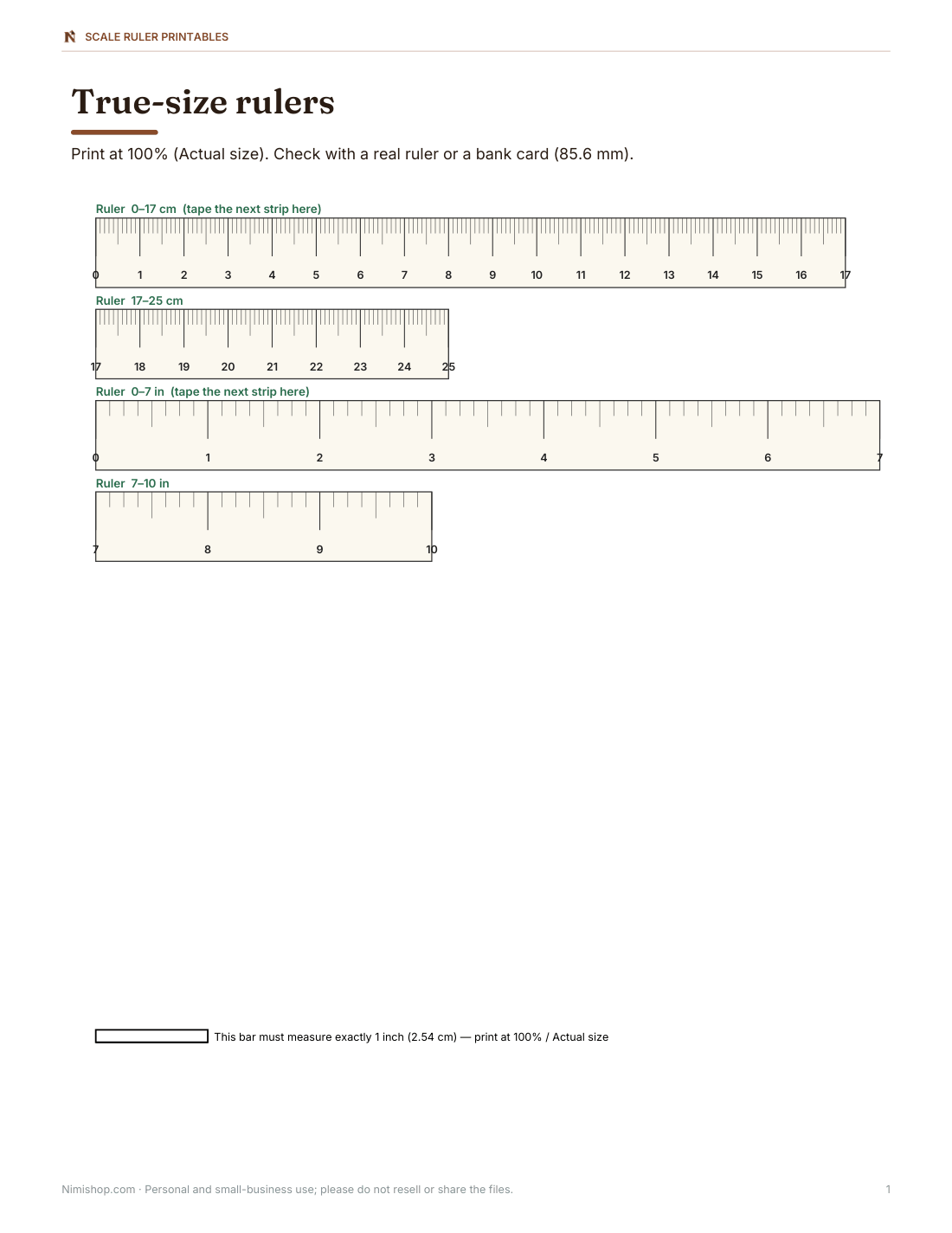
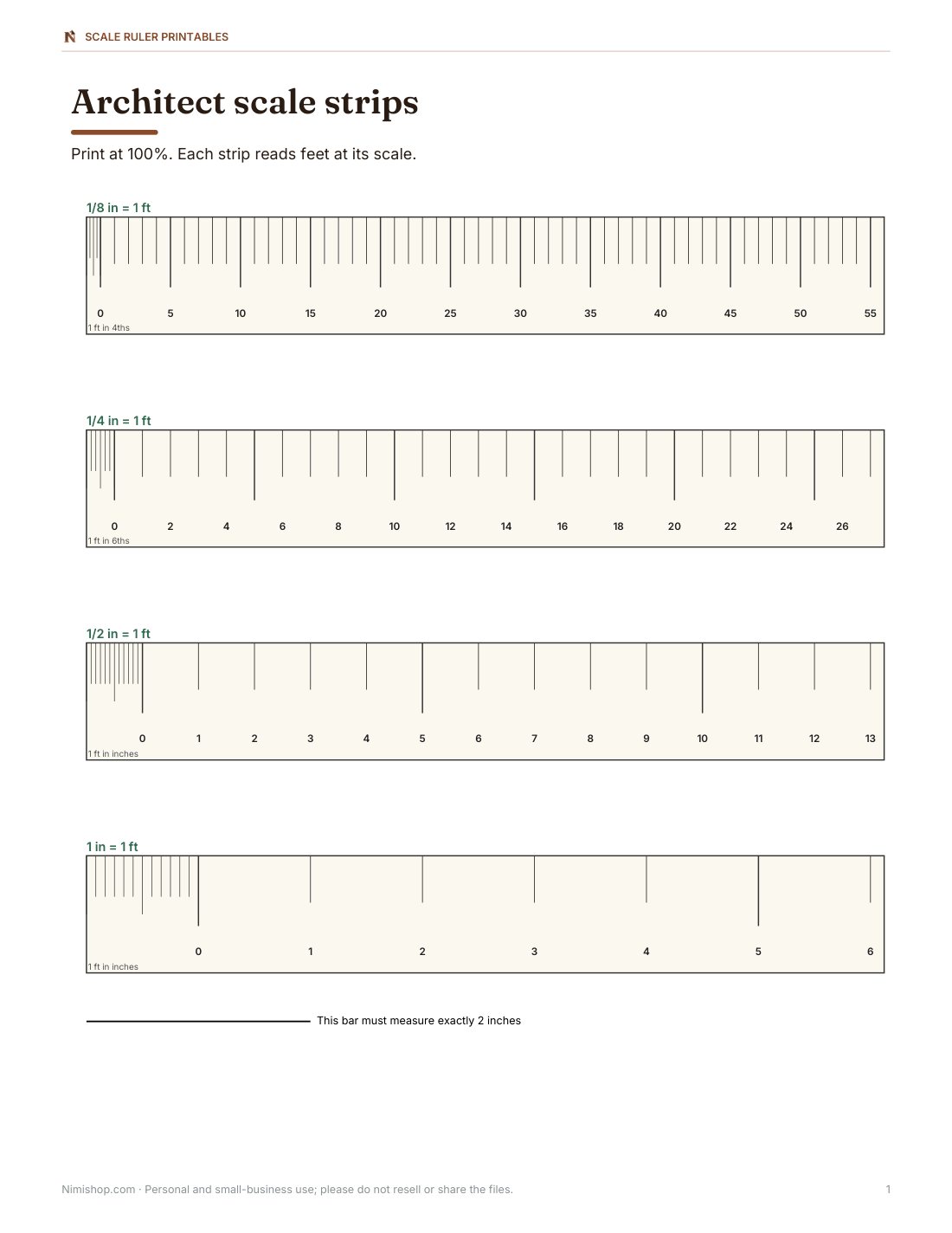
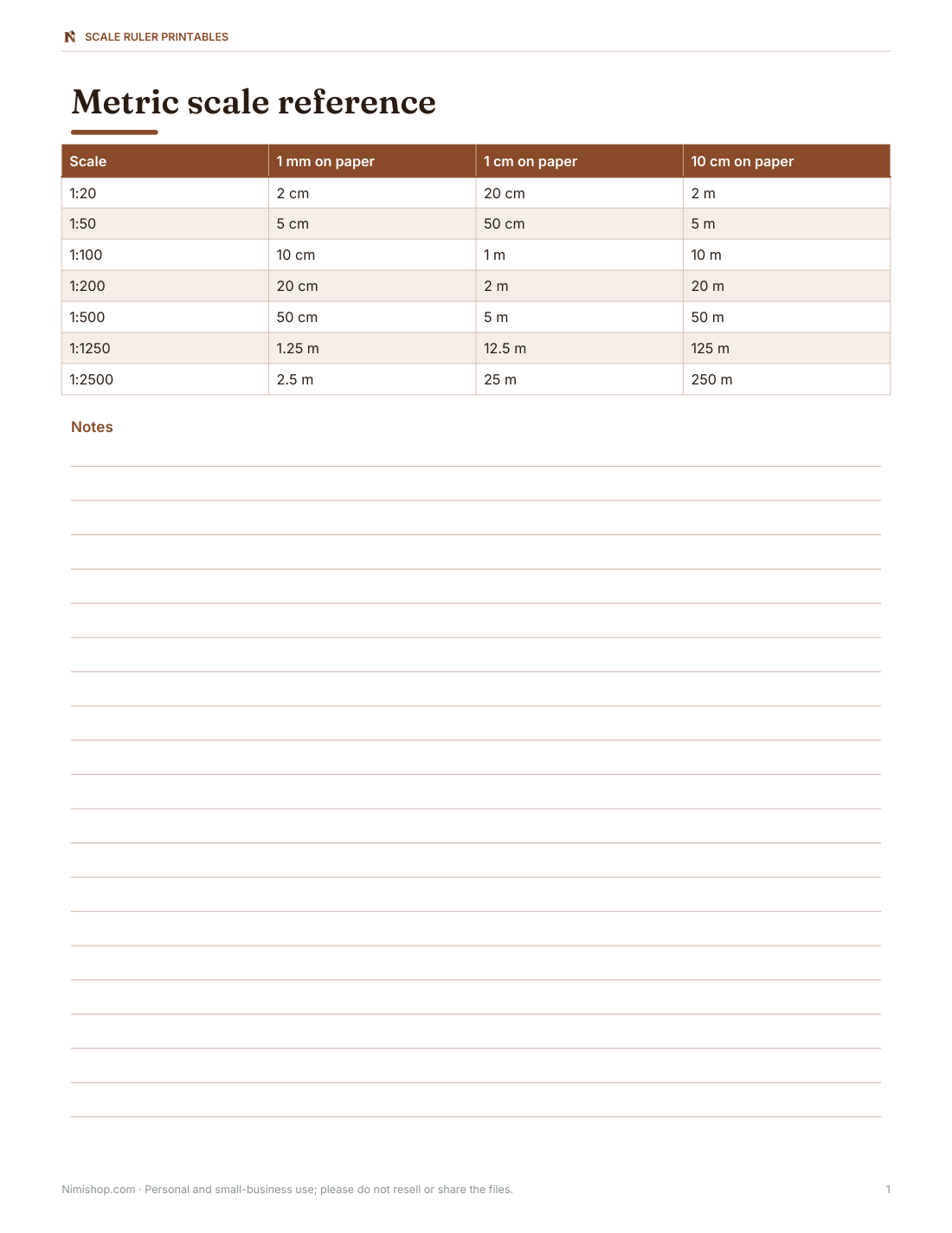
Printable true-size rulers in cm and inches, architect scale strips (1/8, 1/4, 1/2 and 1 in = 1 ft), metric scale strips, a map scale bar sheet and a calibration check page.
- True-size rulers (PDF)
- Architect scales (PDF)
- Metric scales (PDF/XLSX)
- Calibration check (PDF)
Formats: PDF, XLSX. Instant download after payment (link valid 72 hours, up to 5 downloads). AI-assisted: the templates were drafted with AI help and reviewed and laid out before publishing.
$5.00 USD, one-time 4 files · about $1.25 each
- Instant download
- 7-day refund
- Secure checkout by Stripe
7-day money-back guarantee. Full refund within 7 days of purchase, even after you download.
Free sample: True Size Rulers (PDF, 64 KB)
Full refund within 7 days — see the refund policy and license.
Free printables
Single sheets you can print right now, no sign-up. The full pack adds every sheet in one download plus the editable files.
 True-Size Ruler Printable
 Printable Architect Scale Strips
 Printable Metric Scale Reference Chart
 Printable Calibration Check Sheet
Why screen rulers need calibrating
Web pages measure in CSS pixels, and a CSS pixel is a different physical size on every device — a phone, a laptop and a large monitor all show “1 cm” at different real sizes. The only reliable way to get a true-size ruler on screen is to calibrate it against something whose size you know. A standard bank or ID card (the ISO/IEC 7810 ID-1 size used worldwide) is 85.60 mm × 53.98 mm, so matching the dashed box to your card tells the ruler how many pixels make a millimetre.
How to use the ruler
- Hold a bank card, library card or ID card flat against the screen, lined up with the left edge of the dashed box.
- Drag the calibration slider until the box is exactly as wide as the card.
- The ruler now shows true centimetres and millimetres, or inches in sixteenths.
- Pick a scale to read real-world distances from plans or maps.
- Enter a length you measured on a drawing to convert it to the real size.
Your calibration is remembered on this device so you only need to do it once, unless you change the browser zoom or display.
Common drawing and map scales
| Scale | Used for | 1 cm on paper = | 1 in on paper = |
|---|---|---|---|
| 1:1 | True size | 1 cm | 1 in |
| 1:20 | Details, furniture | 20 cm | 20 in (1 ft 8 in) |
| 1:50 | Room plans, sections | 50 cm | 4 ft 2 in |
| 1:100 | Building plans | 1 m | 8 ft 4 in |
| 1:200 | Site plans | 2 m | 16 ft 8 in |
| 1:1250 | Location plans (UK) | 12.5 m | 104 ft |
| 1:24,000 | US topographic quads | 240 m | 2,000 ft |
| 1/4 in = 1 ft (1:48) | US house plans | 48 cm | 4 ft |
| 1/8 in = 1 ft (1:96) | Larger US plans | 96 cm | 8 ft |
Worked example
On a building plan at 1:100, a wall measures 4.5 cm with the calibrated ruler. Its real length is 4.5 × 100 = 450 cm, or 4.5 m. On a US plan at 1/4 inch = 1 foot, a room that measures 3 1/2 inches on paper is 3.5 × 4 = 14 feet long. Always check the scale printed on the drawing — and that the drawing hasn’t been printed at a different size than intended.
Printed drawings and the “do not scale” warning
Many plans carry a note such as “Do not scale from this drawing”, because photocopying, printing on a different paper size or PDF “fit to page” settings change the size. Use written dimensions where they exist, and use a scale bar printed on the drawing to check: if the 5 m scale bar measures exactly 5 cm at 1:100, the print is true to scale.
Printing a true-size ruler
- In the print dialog, choose Actual size or 100% — never “Fit to page”.
- Print the ruler page from the pack.
- Check it against a real ruler or a bank card (85.6 mm).
- If it’s slightly off, your printer may be scaling; adjust the scale setting until the check bar matches.
- Print on card stock or laminate for a sturdier ruler.
Other things to calibrate with
| Object | Size |
|---|---|
| Bank / credit / ID card (ISO/IEC 7810 ID-1) | 85.60 × 53.98 mm (3.370 × 2.125 in) |
| US dollar bill | about 156 × 66 mm (6.14 × 2.61 in) |
| A4 paper | 210 × 297 mm |
| US Letter paper | 8.5 × 11 in (215.9 × 279.4 mm) |
| US quarter coin | 24.26 mm diameter |
| 1 euro coin | 23.25 mm diameter |
The card method is easiest because almost everyone has one and its width is standardised worldwide. Cover the number with your thumb if you prefer — only the edges matter.
Accuracy
A carefully calibrated screen ruler is usually accurate to within about half a millimetre over a card’s width, which is fine for quick checks, ring and bead sizes, or reading plans. For woodworking, sewing patterns or engineering, use a physical ruler or tape.
Scale ruler pack
The optional pack includes printable true-size rulers in centimetres and inches, architect scale strips (1/8, 1/4, 1/2 and 1 inch = 1 foot), metric scale strips (1:20, 1:50, 1:100, 1:200), a map scale bar sheet and a calibration check page. The on-screen ruler is free.
AI-assisted content
This page was drafted with AI assistance and reviewed before publishing.
Frequently asked questions
How do I get a real-size ruler on screen?
Calibrate it by matching the box to a standard bank card, which is 85.6 mm wide.
What size is a credit card?
85.60 × 53.98 mm (ISO/IEC 7810 ID-1).
What does 1:100 mean?
One unit on the drawing equals 100 of the same units in reality.
How do I print a ruler at the right size?
Print at 100% / Actual size and check against a real ruler.
What is 1/4 inch scale?
1/4 inch on the drawing represents 1 foot — a ratio of 1:48.
Does the ruler remember my calibration?
Yes, on this device and browser.
Why is my printed ruler the wrong size?
The printer probably scaled the page; print again at 100% / Actual size.
Can I use the ruler on a phone?
Yes — calibrate it on the phone itself, since every screen is different.